 AIM mindset apps
 Krestyour day, in four directions
What changes when I view a day through four directions?
One deliberate change to the day.
Method, origin and why this interface
Where the idea comes from
An AIM product model: obligations, resources, past and future.
Our version
The web page offers fictional examples. The Mac app uses the sources you configure and keeps an observation history.
Why a visual interface
Four directions keep competing demands visible together. History compares compatible observations.
With an agent
An agent can help interpret an observation. Source coverage and your judgement still matter.
What you take away
One deliberate change to the day.
How to interpret it
An author-created lens; no validated psychological score is claimed.
Source: AIM author-created model, 2026.
MAC MENU BAR · 1.2.1
See what pulls on your day.
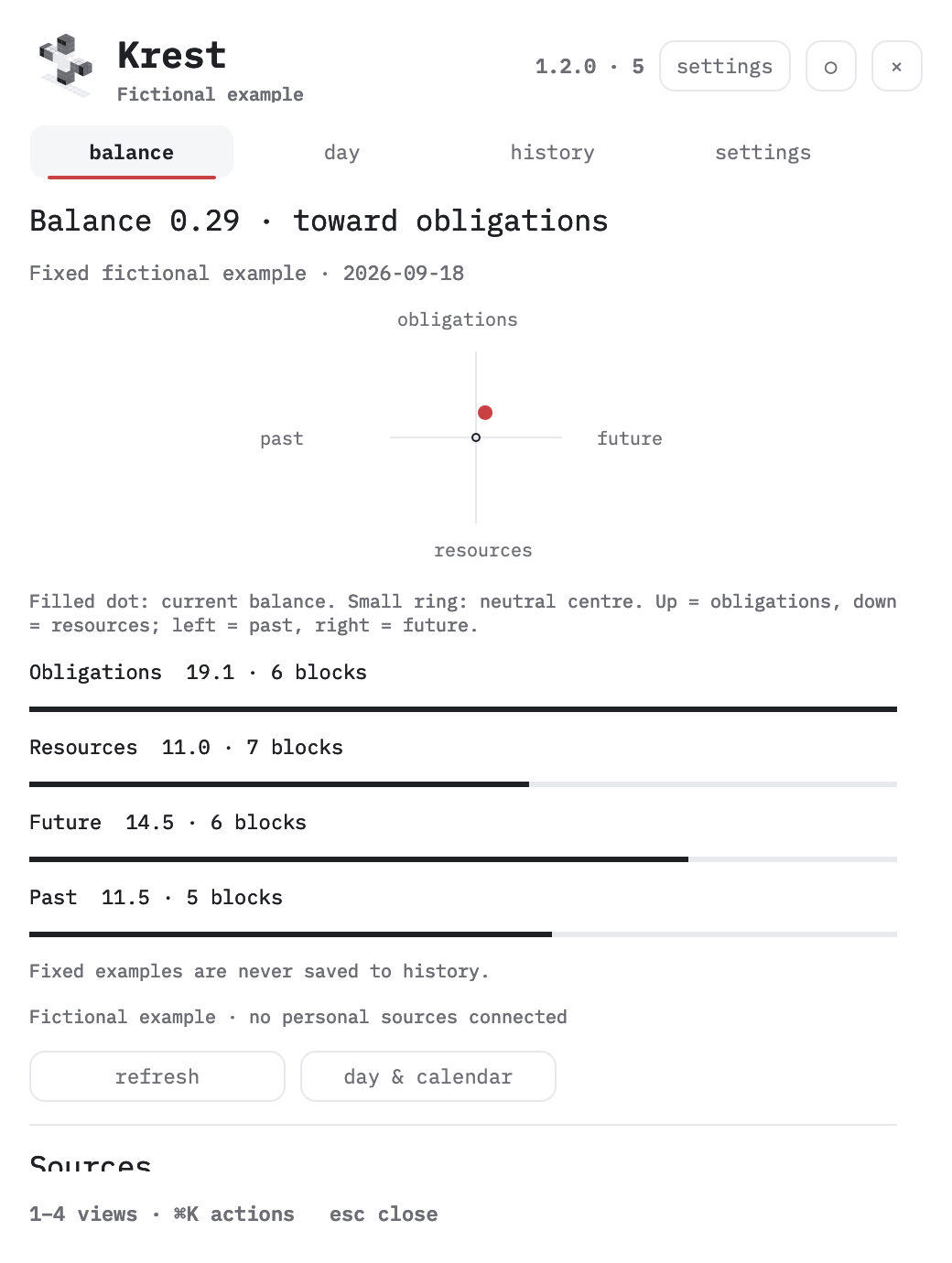
Obligations above. Resources below. Past on the left, future on the right. Krest places a balance dot between them and keeps the source behind every reading visible.
The English Mac panel brings together Balance, Day, History and Settings. Calendar Control stays a separate app, one click away.
download for Mac try the web field
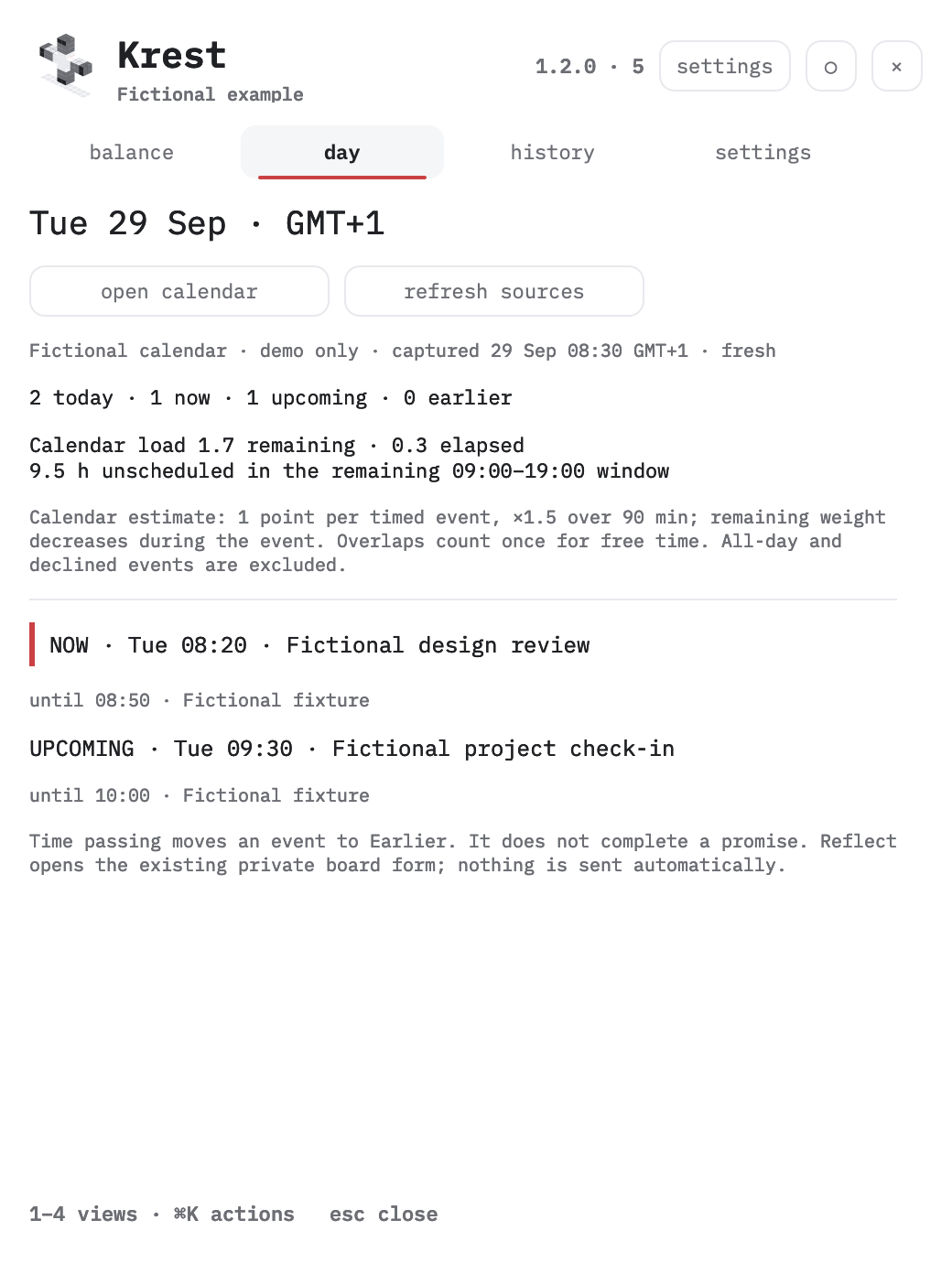
Actual app interface with a fictional fixture. No personal events or history are published here.
DAY · CALENDAR CONTEXT
Upcoming, happening now, earlier.
Day reads the available Calendar Control Google snapshot, or macOS Calendar when that snapshot is absent. Each source carries its capture time and freshness.
A minute check updates event phases. The separate calendar-load estimate decreases as meetings pass and counts overlapping busy time once. Stale or incomplete snapshots keep their event list but hide the current estimate.
The board retains its own balance calculation. Day shows which calendar events it included and makes missing calendar data visible. Ending a call does not automatically complete its promises.
For an earlier event, Reflect… opens your existing private board form. You review the response before saving it. Krest sends no automatic messages.
READ THE MARK
One balance dot. One separate panel pin.
| Control | Meaning |
|---|---|
| Cross and moving dot | Direction of the observed balance. The small ring inside the field is the neutral centre. |
| Arrow and number | Direction and magnitude, available in menu-bar settings. A filled menu dot marks imbalance of 0.50 or more. |
| Circle beside × | Panel pin. Filled means the panel stays open when you click elsewhere. Hollow means outside clicks close it. |
| ! | A source error or a board snapshot older than one hour. Open the panel for the receipt. |
Right-click the menu mark or press ⌘K in the panel for actions. Keys 1–4 select views; ⌘R refreshes; Esc closes.
HISTORY
Only what was observed.
Choose 7, 30, 90 or 365 days, then a saved date and snapshot. The graph stores actual capture times, arm totals, source states and the rules version. Gaps longer than 36 hours and changes of scale break the line.
History stays on your Mac. Task text, event titles and messages are not written to its history file. Duplicate snapshots do not create duplicate points; fictional examples never enter history.
INTERACTIVE FIELD · FICTIONAL DATA
Explore the four directions.
Hover a block to inspect its weight, source and reframing prompt. Flip one arm to see the partial reset return; flip all four to keep the model reframed. This simulation edits only the example in your browser.
DOWNLOAD KREST
1.2.1 · build 6
macOS 13+ · arm64 · ad-hoc signature · SHA-256 checksums · release notes
Unzip and place Krest in Applications. This build is not notarized. If macOS blocks the first launch, review the app in Privacy & Security. Existing user settings and local history stay outside the app bundle.
Without a private board, Krest uses the available calendar source. Without calendar access or a usable source, it shows an explicit unavailable state or a labelled fictional example. Configure your sources.