AIM mindset apps

Aside Tweaks

tabs, bookmarks and a palette for Aside
v4.33.0install
Aside voxel character

Aside Tweaks

4.33.0install
aside · live product model
PAGE CONTENT
esc
● desk
open ↵actions ⌘K
what happened

one situation

fourteen tabs about one product. the source, two previews, the doc and the page you actually need.

⌘D moves that page into the last Bookmarks row. ⌥⌘D opens an inspection screen where nothing closes yet.
nothing closes without a preview.

the model above runs in the page. drag the palette, press the keys, switch the mode.

aside browser extension · version 4.33.0

the keys your browser kept for itself.

⌘D moves the active page into the last native Bookmarks row and keeps it selected. Remove Duplicates opens a current-window preview. ⇧⌘K searches tabs, smart history, bookmarks, local Obsidian notes, Aside menu items and agents from one fast palette.

chromium 114+ · manifest v3 · unpacked from the repository · mit · released 2026-10-03

01 · ⌘D

one saved row. still your page.

the active page leaves its tab group and becomes one live row at the bottom of native Bookmarks. it stays selected. press ⌘D again to return it to Tabs.
02 · ⇧⌘K

search the whole desk.

tabs, history, bookmarks, obsidian notes, aside menu items, commands and configured agents share one field. ⌘K opens the same action panel on every row type, and ⌘1…⌘9 switch to the blocks the palette lists by number. declared exception to family rule 37: the browser keeps ⌘K, so the palette opens on ⇧⌘K and ⌘K stays the row action panel (README · family keys).

03 · ⌥⌘D

review before cleanup.

exact copies, related products, stale events and research sources stay in separate groups until you choose what to keep, bookmark or close. every batch writes a local receipt.

04 · live mark

a character in the header.

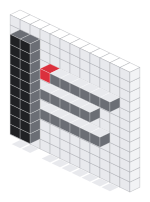
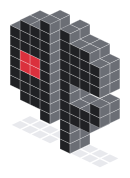
the panel and popup carry the light aside character: a panel frame, three row sticks, a red cursor. it lifts under the cursor, scatters and reassembles on click in 0.8 s, and the cursor steps to the next row. reduce motion keeps the step only.

cleanup contract

  • protectedpinned · active · user-marked · unsaved form · bookmarked outside an exact cluster
  • separateexact · related · event or stale · research source
  • previewedevery close batch lists the pages before it runs
  • recordedcanonical url · source links · closed urls · local timestamp

unpacked extension · 4.33.0

install aside tweaks.

  1. clone the canonical repository.
    git clone https://github.com/aPoWall/aside-tweaks.git
  2. open chrome://extensions in aside, enable developer mode, press load unpacked and choose the repository folder.
  3. optional local desk bridge for obsidian notes, aside menus and agent launch points. it listens on loopback only.
    bridge/install.sh
    curl -H 'X-Aside-Tweaks: desk' http://127.0.0.1:49321/health

update and rollback

pull the repository and press reload on the extension card. 4.33.0 keeps keymaps, bookmark order, pins, groups, review state, bridge config and theme settings. Bookmarks now protect exact copies; rollback to 4.31 restores the previous exact-cluster rule.

what's new

the last five releases.

read from release-notes.txt · the same text as the repository changelog.

4.28.02026-09-27

  • ⌘D is keep on top again: first bookmark row, pinned square and focus on the same page; a second press removes the row and square
  • fixed the long-bar bug where a new row was inserted first but the panel displayed the last 14 bookmarks
  • the panel adds six local smart-history rows, compact categories and reliable active-row return after reveal or refocus

4.27.02026-09-24

  • ⌘D stops pinning: the row goes first in the bookmarks bar and the sidebar folds the open tab into it, so the page stands in the sidebar once and keeps the focus
  • the squares on top belong to ⇧⌘D; pinning on ⌘D stays a switch and is off by default
  • the panel names the row you are on – active, pinned, asleep or the host – and scrolls that row into the middle of its window on every render and every tab switch

4.26.02026-09-22

  • ⌘D puts the page where ⇧⌘D puts it: the row goes first in the bookmarks bar and the tab is pinned into the squares on top of the sidebar, with the focus still on it
  • a second ⌘D takes the row and the square out and leaves the tab open, selected and first in the list
  • remove duplicates is a command again: it closes the exact duplicates and the empty tabs of every window straight away, with the same protections and the same receipt
  • tidy up runs the sweep instead of opening the palette – cleanup, flatten, recent tabs on top, blocks from three tabs; review tabs stays the door into review
  • the palette shows the tab you are on first and marks it active

4.25.02026-09-22

  • ⌘D makes the same move as pin: the row goes first in the bookmarks bar, the open tab rises to the first row of the tabs and keeps the focus
  • one page stops showing twice in the sidebar – before this the row joined the end of the bar while the tab stayed at the bottom
  • both halves stay switches in settings and return to the 4.21 contract
  • testbed: a second Aside on its own profile checks ⌘D and ⇧⌘D in a real browser without touching the working window

4.24.02026-09-17

  • the toolbar button reads as a menu bar item: one click opens the surface, the next closes it, and the mode of the button is one list in settings – mark, mark and the tab count of this window, the count drawn as the button, or hidden
  • hidden asks first and says what it can do: the browser keeps the square in the toolbar and only a person unpins it, so the mode empties the drawing and the title points at the combination
  • one combination for open and close, read from the browser in every line of the product; the family default ⌥⌘A is refused by this browser for an extension command, so the shipped default is ⌥⇧A and a refused combination turns the settings row red and is never stored
  • the voxel character is back in the header of the popup and the panel at 40 px: it assembles in 700 ms, lifts under the cursor and steps its red cursor on a click; the flat mark stays on the toolbar button, in settings and on the favicons
  • aim-voxel.js and the shared voxel model file are vendored byte for byte and both digests are asserted by the surfaces test

your tabs stay in your browser.

review classification runs locally. the extension has no server, no telemetry and no account. receipts live in local extension storage.

optional model grouping sends only tab titles and hosts to the openrouter model you configure and stores the key locally. it proposes groups in a preview window and never applies them on its own.

the desk bridge answers only on 127.0.0.1 with a configured header. page content, cookies and form values stay outside its protocol.

shared n1 profile.

version 4.33.0 uses the shared apps shell and keeps the panel state local. the character, product mark and toolbar icon come from the same checked exports.

apps design system ↗