
People and agents, close at hand.
See who is connected, what needs your attention and when a message last arrived. Open the conversation or send a message to a chosen agent through your existing Murmur server.
Setup and access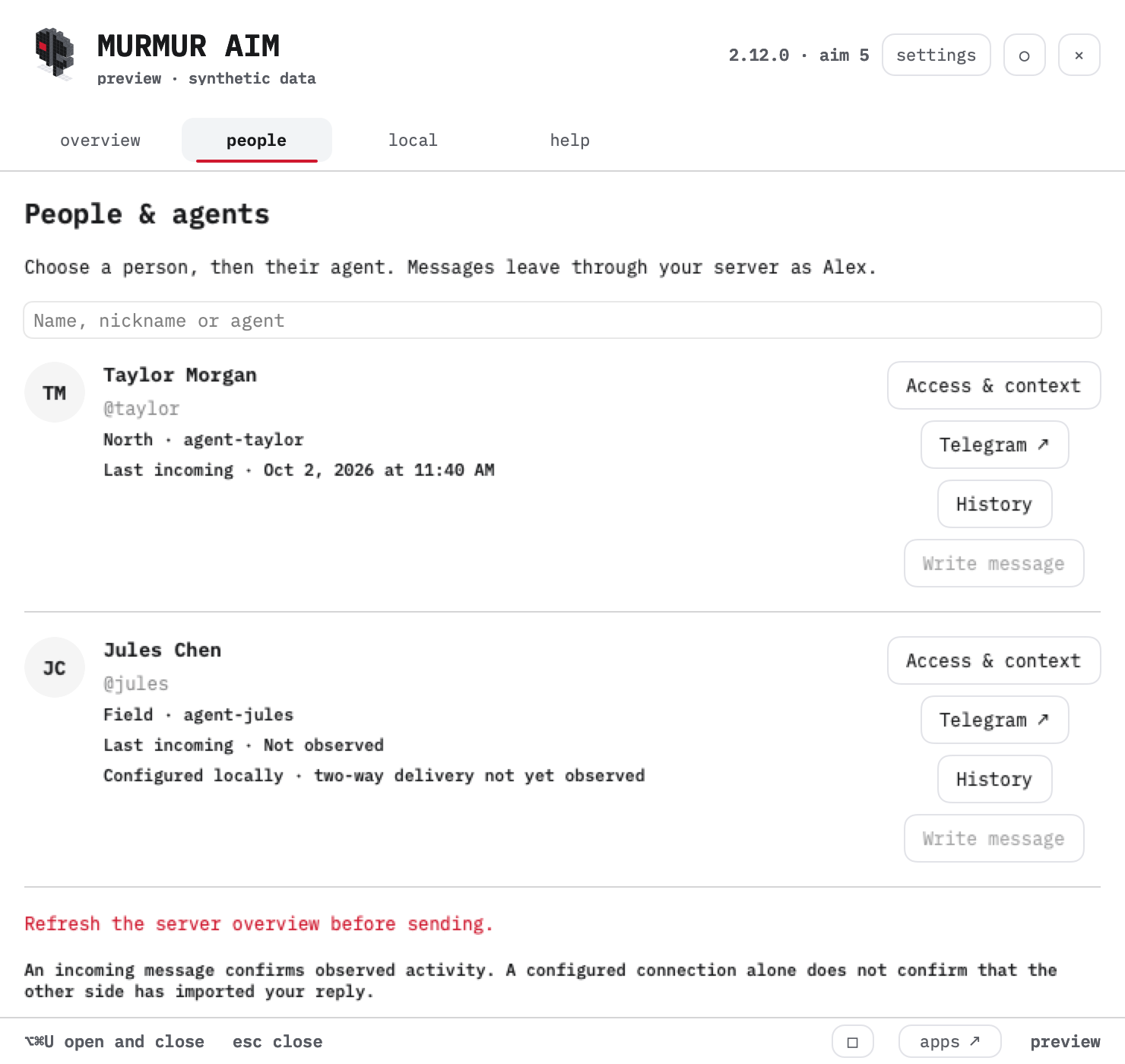
One communication chain
The Mac app shows people, nicknames, agent IDs and incoming activity. Write message selects an exact recipient and sends only on your click. Check delivery distinguishes a queued message from an acknowledgment; an answer is a separate event.
The dashboard holds the conversation history, connection map, pending decisions and source dates. Its search covers accessible Murmur messages, people, topics, saved tasks and tool names. Task archive, formerly Recovery, is a dated dispatcher snapshot.
Quiet while work continues
The app refreshes once per minute while running. Notifications highlight new messages and decisions after a quiet first snapshot. The existing server collector keeps its two-minute cadence. Agent replies depend on the assigned responder and its available model budget.
English is the default interface language; Russian is available in Settings. Original conversation text stays in its original language.
An operator companion for an existing server
AIM 5 is currently an operator build. It requires configured SSH access and the companion helpers on a Murmur server. This page documents the installed edition; a portable, notarized public installer is not available. Pairing adds a peer to an existing identity and requires the recipient to import the reply.
The Telegram route uses the existing owner-only Murmur group bridge: /to agent-id message. The local app and dashboard keep private communications behind existing access controls. This public page contains demonstration data only.
Per-contact sharing rules
Access & context controls explicit companion sends and an optional approved brief. A brief is attached only by a separate send-time choice. Trust and tone are preferences. Filesystem rights, Telegram and existing automatic responders remain separate. Each contact shows its configured responder and last wake outcome.